Showing posts with label Freebies. Show all posts

Wednesday, December 21, 2011

FREEBIE BLOG BACKGROUND - REINDEER

Background copyright Susie Jefferson, using images from Holiday Paper Pack 3 by Cesstrelle at HG Designs
Here's a new freebie Christmas background for you, using reindeer images from Cesstrelle's Holiday Paper Pack 3. Isn't this fun? Perfect for someone who wants a modern image with a bit of an edge.

This will fit most templates: 3-col, wide 2-col and also some of the freebie WordPress templates like Bueno. It will also fit some of the freebie Tumblr blog templates, eg: Redux. The Blogger template I've used here is Awesome.

BACKGROUND CODE

Just copy and paste all the code below into an html box in your sidebar.
<style type="text/css">
body {background-image: url("http://i659.photobucket.com/albums/uu313/1stFloorFlatComputery/3a093400.jpg"); background-position: center; background-repeat: no-repeat; background-attachment: fixed; }
</style>
<div id="tag" style="position:absolute; left:0px; top:50px; z-index:50; width:150px; height:30px;">
<a href="http://1stfloorflatblogology.blogspot.com/" target="_blank">
<img border="0" src="http://i659.photobucket.com/albums/uu313/1stFloorFlatComputery/9061ddc2.png"/>
</a></div>

HEADER

If you want to customise my header with your own text, right-click the picture to open to full size then left-click to save to your own computer. Add text using your favourite graphics programme, then load up and click' Instead of Title and Description'.

Otherwise, just save the header and click 'Behind Title and Description' to use Blogger's own default header text (click the Resize button if you want it smaller) or copy the code below and enter that instead.
http://i659.photobucket.com/albums/uu313/1stFloorFlatComputery/75d8d6cb.png
Check out Cesstrelle's blog HG Designs for more fabulous papers, brushes, textures etc.

Friday, October 14, 2011

SCARY PINK SATURDAY

It's nearly Halloween - so it's time to dress up your blog with something scary! Here's a not-too-scary freebie blinkie I just made, especially for you Pink Saturday fans.


 If you scroll down you'll see some new freebie backgrounds (also archived on Blogology - see the sidebar for even more scary stuff) and these are very scary!

Have fun...

pink saturday

Finally, please visit Beverly at How Sweet the Sound to see all the other wonderful Pink Saturday posts!

Wednesday, October 12, 2011

FREEBIE BLOG BACKGROUND - LUGOSI

The header - see blow to download

Bela Lugosi was the vampires' Vampire - and this blog background for any horror fan or Goth (it's not just for Halloween) is my homage to him.


BACKGROUND

Showing a little more of the background. This is Watermark template

Just copy and paste all the code below into an html box in your sidebar.
<style type="text/css">
body {background-image: url("http://i659.photobucket.com/albums/uu313/1stFloorFlatComputery/6c58df0b.jpg"); background-position: center; background-repeat: no-repeat; background-attachment: fixed; }
</style>
<div id="tag" style="position:absolute; left:0px; top:50px; z-index:50; width:150px; height:30px;">
<a href="http://1stfloorflatblogology.blogspot.com/" target="_blank">
<img border="0" src="http://i659.photobucket.com/albums/uu313/1stFloorFlatComputery/9061ddc2.png"/>
</a></div>

HEADER

1000 pixels wide - click the Resize for Blog if you want it smaller
If you want to customise my header with your own text, right-click the picture to open to full size then left-click to save to your own computer. Add text using your favourite graphics programme, then load up and click' Instead of Title and Description'.

Otherwise, just save the header and click 'Behind Title and Description' to use Blogger's own default header text (click the Resize button if you want it smaller) or copy the code below and enter that instead.
http://i659.photobucket.com/albums/uu313/1stFloorFlatComputery/75d8d6cb.png
If you are worried about such a dark background and are wondering how my posts show with a white background, I've used the Watermark template. Just go into Design, scroll down to Advanced, and adjust your settings to taste.

I hope you have fun with this one!

Sunday, October 9, 2011

NEW TUTORIAL - BACKGROUNDS FOR WORDPRESS & TYPEPAD

Wordress - Coraline template
I've just put a brief tutorial on to my Computery blog on how to add freebie backgrounds to WordPress and TypePad blogs.

Hope it helps - now you can make your blogs more spiffy too!

You'll notice it's the identical background I've used on Blogology (which is where you'll find the coding for the background - see the post below as well) and I'm using WordPress's freebie template 'Coraline'.

FREE BLOG BACKGROUND - HORROR SHOW 2011

HORROR SHOW 2011 - freebie background from my Blogology blog
Here's my Halloween background (also for any Goths, horror movie fans etc) which I've tweaked for 2011 - the background is wider to accommodate bigger monitors (it's 1800 pixels wide) and with extra helpings of horror added, lol.

Just copy and paste all the code below into an html box in your sidebar.
<style type="text/css">
body {background-image: url("http://i659.photobucket.com/albums/uu313/1stFloorFlatComputery/21d26b6a.jpg"); background-position: center; background-repeat: no-repeat; background-attachment: fixed; }
</style>
<div id="tag" style="position:absolute; left:0px; top:50px; z-index:50; width:150px; height:30px;">
<a href="http://1stfloorflatblogology.blogspot.com/" target="_blank">
<img border="0" src="http://i659.photobucket.com/albums/uu313/1stFloorFlatComputery/9061ddc2.png"/>
</a></div>

HEADER

980 pixels wide
If you want to customise my header with your own text, right-click the picture to open to full size then left-click to save to your own computer. Add text using your favourite graphics programme, then load up and click' Instead of Title and Description'.

Otherwise, just save the header and click 'Behind Title and Description' to use Blogger's own default header text - or copy the code below and enter that instead.
http://i659.photobucket.com/albums/uu313/1stFloorFlatComputery/5b722a63.png

For standard header widths, see my earlier version here: HORROR SHOW

PERFECT POSITIONING:

Here's how to centre the heading in the older templates (eg: Minima), and here is the tutorial for centering the header and removing that bar at the top that shows behind the header in some templates (eg: Simple, Watermark).

Sunday, April 3, 2011

CRAFT STAMPER MAGAZINE - FREE DOWNLOAD!

I'm really excited! Craft Stamper has just released their first e-zine featuring the very best projects of 2010!

So if you missed an issue (or are outside the UK and haven't been able to get your hands on a copy), here you are: the best of the best - and best of all, it's a free download! So click on the link, download away - and don't forget to tell all your friends.

Enjoy!

Friday, March 25, 2011

PINK SATURDAY BLINKIE

Spring has finally sprung - it's official, and the clocks go forward on Sunday. Everything seems brighter and more shiny in the Spring sunlight, so it's Spring Cleaning time - and as you can see, I've given myself a blog makeover and tidied up my sidebars!

I've also made a fun blinkie for you all.


<a href="http://1stfloorflatblogology.blogspot.com/" target="_blank"><img border="0" src="http://i659.photobucket.com/albums/uu313/1stFloorFlatComputery/930462a1.gif"/></a>


Just copy all the code and paste it into an html widget right into your sidebar!

pink saturday

Finally, don't forget to visit Beverly at How Sweet the Sound to see all the other wonderful Pink Saturday posts!

Friday, February 11, 2011

FREEBIE FOR PINK SATURDAY

Adorable child pic is Daizy by M on DeviantArt
I've done a frame image for you this week - this could be used as a picture or even a blog header (just add your own text and click to resize).
It would also work as a Valentine image, which was my original idea, but I couldn't find an image I liked.


Left click to bring up to full size, and right-click to save to your computer. Add your photograph in a layer below this then merge. This is a png, so the central white portion is actually transparent. If this doesn't download correctly, use this image code instead:
http://i659.photobucket.com/albums/uu313/1stFloorFlatComputery/67d25be6.png
Here's an excellent video tutorial by Shabby Blogs showing how to layer and add text:


People often ask me if I use a lot of layers in my work. The answer is 'yes' and here is this piece, if you are interested:

Happy Valentine's weekend, folks!

pink saturday

Finally, please visit Beverly at How Sweet the Sound to see all the other wonderful Pink Saturday posts!

Friday, January 14, 2011

HAPPY PINK SATURDAY BACKGROUNDS


Pink is this year's colour - it's official! Home & Garden (a French blog) says so! So it must be true! Oh la la, what a colour!


However, it's not the same colour in my Photoshop7 programme - I had to use ColorZilla (a free Firefox app) to get the exact colour coding!

'Cup of Rose' by RegularJane on Deviant Art


Due to computer problems I haven't been participating lately, but as it's behaving itself again - AND I've sorted out my keyboard (see the post below this one) so I'm back to normal (ish) again. To celebrate, I've made a background and header set in two colourways - a little Spring-like (I'm positive Spring is just around the corner...)

LACE FLOWERS - PINK


As you can see, this works for a 3-colum blog - also the new Designer Templates! Here, I used Awesome No 2, then adjusted it to tone in with my background. This template will also work with some free WordPress templates (eg: Bueno) as well as the older Blogger templates (eg: Minima). It will also work with wide 2-col blogs etc.

Copy ALL the code and paste into an html widget box (it'll load fastest if the widget is at the bottom of your blog):
<style type="text/css">
body {background-image: url("http://i659.photobucket.com/albums/uu313/1stFloorFlatComputery/749b8e3a.jpg"); background-position: center; background-repeat: no-repeat; background-attachment: fixed; }
</style>
<div id="tag" style="position:absolute; left:0px; top:50px; z-index:50; width:150px; height:30px;">
<a href="http://1stfloorflatblogology.blogspot.com/" target="_blank">
<img border="0" src="http://i659.photobucket.com/albums/uu313/1stFloorFlatComputery/9061ddc2.png"/>
</a></div>
HEADER

Header design copyright Susie Jefferson - bee border from Penniwig's
Custom Text
Either left-click to bring the header up to full size, then right-click to copy to your computer. Add your own text using your favourite graphics programme. Upload to Blogger and tick 'Instead of title and description'. If using a 3-col or wide 2-col template, DON'T click the 'shrink to fit' option.

Blogger's Default Text
Either left-click to bring the header up to full size, right-click to copy to your computer, then upload to Blogger, using the default header text by ticking 'Behind title and description'. OR download the header code instead (above). Upload to Blogger using the default header text by ticking 'Behind title and description'.
LACE FLOWERS - BLUE

See the background in action live on Blade Rubber Stamps blog
This is using the old Editor, and a modified (to 3 columns) Minima template, so you can see how the same background design (although a different colourway) can work on different templates. You can also see that I customised the header with my own fonts. If you need to adjust the placement of the header in Minima or any of the older templates, here's my tutorial.

Copy ALL the code into an html widget:
<style type="text/css">
body {background-image: url("http://i659.photobucket.com/albums/uu313/1stFloorFlatComputery/4d11cc0c.jpg"); background-position: center; background-repeat: no-repeat; background-attachment: fixed; }
</style>
<div id="tag" style="position:absolute; left:0px; top:50px; z-index:50; width:150px; height:30px;">
<a href="http://1stfloorflatblogology.blogspot.com/" target="_blank">
<img border="0" src="http://i659.photobucket.com/albums/uu313/1stFloorFlatComputery/9061ddc2.png"/>
</a></div>

HEADER


See the instructions above on how to install your header. Here's the code if you'd prefer it:
http://i659.photobucket.com/albums/uu313/1stFloorFlatComputery/d000ef8e.jpg
Hope you enjoy these!

pink saturday

Finally, please visit Beverly at How Sweet the Sound to see all the other wonderful Pink Saturday posts!

Friday, December 17, 2010

PINK SATURDAY - ON THE 4TH WEEK OF CHRISTMAS...

It's the 4th week of Christmas! I'm so excited - I love, love, love Christmas and all the hustle and bustle in the run-up to the Big Day. 

SILENT SNOW - copyright Susie Jefferson
Here in London we had a freak snowstorm - all clear around 10.00am - then I forced myself away from the computer to make a coffee, looked out the window, and voila! About 2 inches of snow! (the computer is nowhere near a window, and I simply didn't notice).

Hence this wintry background, using two wonderful photographs (with permission) by Jamie at Art-e-ology.

If you'd like to use my background, just copy all the code below and insert into an html widget right in your blog. This one is 950px and suitable for a 3-column blog, a wide 2-colum blog, the new Designer templates and also some of the freebie WordPress ones (eg: Bueno).
<style type="text/css">
body {background-image: url("http://i659.photobucket.com/albums/uu313/1stFloorFlatComputery/3a1ed415.jpg"); background-position: center; background-repeat: no-repeat; background-attachment: fixed; }
</style>
<div id="tag" style="position:absolute; left:0px; top:50px; z-index:50; width:150px; height:30px;">
<a href="http://1stfloorflatblogology.blogspot.com/" target="_blank">
<img border="0" src="http://i659.photobucket.com/albums/uu313/1stFloorFlatComputery/9061ddc2.png"/>
</a></div>
HEADER
SILENT SNOW png image - copyright Susie Jefferson
http://i659.photobucket.com/albums/uu313/1stFloorFlatComputery/9da4bad8.png
The header is a png file as it has a transparent background with a drop shadow, so for best results use the code below rather than left-click for the full size, and right-click to copy to your computer. If you want to add your own text, download the png and add text using your favourite graphics programme. MERGE the layers (don't flatten) and save as a png before reloading, or you'll end up with a white background instead of a transparent one.

EMAIL BUTTON
Here's a seasonal email button I made - and here's the post with full instructions on how to add your own address etc.

PINK SATURDAY - CHRISTMAS MUSIC

This week on Pink Saturday, the theme is Christmas music. I have so many favourites, it's impossible to choose just one... Click on 'play' if you'd like to hear the music.


MusicPlaylist
Music Playlist at MixPod.com


pink saturday

Finally, please visit Beverly at How Sweet the Sound to see all the other wonderful Pink Saturday posts!

Friday, December 10, 2010

PINK SATURDAY - THE 3rd WEEK OF CHRISTMAS...

Victorian Christmas - copyright Susie Jefferson
Another freebie blog background and header set for you!

This will work with the new templates, the old templates, any 3-col or wide 2-col blog. Just copy all the code and insert into an html widget in your blog. This will also work with some of the freebie WordPress templates, eg: Bueno.
<style type="text/css">
body {background-image: url("http://i659.photobucket.com/albums/uu313/1stFloorFlatComputery/02d604e8.jpg"); background-position: center; background-repeat: no-repeat; background-attachment: fixed; }
</style>
<div id="tag" style="position:absolute; left:0px; top:50px; z-index:50; width:150px; height:30px;">
<a href="http://1stfloorflatblogology.blogspot.com/" target="_blank">
<img border="0" src="http://i659.photobucket.com/albums/uu313/1stFloorFlatComputery/9061ddc2.png"/>
</a></div>

HEADER

Victorian Christmas - copyright Susie Jefferson
Left-click to bring up to full size, then right-click to copy to your computer. Add text using any graphics programme (don't forget to flatten when finished, and save as a jpg). Or use the code below. Don't click to resize, and if you need to centre the header, just use my tutorial.

MY FAVOURITE CHRISTMAS MOVIE

This week on Pink Saturday, the theme is Favourite Christmas Movies. Mine is perhaps a lesser-known one: The Lemondrop Kid, starring Bob Hope and Marilyn Maxwell.


Bob is a gambler and a con artist, needing to raise some money FAST - so invents The Old Dolls' Home, a charity and residence for old dolls (little old ladies to you and me). It's brilliant. The BBC repeated this annually for around 5 years or so (this is around 20 years ago, mind) and it had me laughing every single time. This is the film that featured the song 'Silver Bells' for the very first time!

You can still get it on Amazon as one of five films in the Bob Hope Collection and I would imagine it's out there somewhere to hire as well.  Here's a review, giving the full plot.

pink saturday

Finally, please visit Beverly at How Sweet the Sound to see all the other wonderful Pink Saturday posts!

Friday, November 26, 2010

PINK SATURDAY - ON THE FIRST WEEK OF CHRISTMAS...

My article for Craft Stamper magazine - read about it here
It's officially the First Week of Christmas in our household - both Peter (my long-suffering husband) and I adore Christmas! I intend having the tree up and decorated on the 1st December, and will be shopping for tinsel and lights even as we speak...
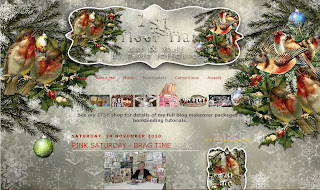
Vintage Robins - copyright Susie Jefferson
So my first gift to you is this brand new Christmassy background, header and email button set, so get you in the mood. 

This background will fit any 3-col blog and also a wider 2-col one, plus the new Designer Templates (see my post as to which will fit the best). Just copy all the code below exactly as you see it, and pop it into an html widget right on your blog. 
<style type="text/css">
body {background-image: url("http://i659.photobucket.com/albums/uu313/1stFloorFlatComputery/8227bc5b.jpg"); background-position: center; background-repeat: no-repeat; background-attachment: fixed; }
</style>
<div id="tag" style="position:absolute; left:0px; top:50px; z-index:50; width:150px; height:30px;">
<a href="http://1stfloorflatblogology.blogspot.com/" target="_blank">
<img border="0" src="http://i659.photobucket.com/albums/uu313/1stFloorFlatComputery/9061ddc2.png"/>
</a></div>
WordPress user? Yes, you can use this one as well! Go to Appearance, Background, then Upload Image. For Position, click 'center', for Repeat just click 'no repeat' and for Attachment click 'fixed' and it'll fit most freebie WordPress blogs. Ditto the header and email button - jut add the code as normal.

HEADER
Vintage Robins header - copyright Susie Jefferson
Copy the code below and enter into your Header box, either behind the title if you want to use Blogger's default header and descriptions, or copy to your computer and add your own customised header using your favourite graphics programme.
http://i659.photobucket.com/albums/uu313/1stFloorFlatComputery/cd568a11.png
EMAIL BUTTON

The email button is also a png image (so it will show with a clear background).

Email button - copyright Susie Jefferson
Just copy the code and paste into an html widget box in your sidebar. Put your own email address where the code says email me and make sure there aren't any spaces between the : and the " or it won't work.
<a href="mailto:emailme"><img border="0" src="http://i659.photobucket.com/albums/uu313/1stFloorFlatComputery/d422aac7.png"/></a>

We're now winging our way to Christmas! Only a couple more weeks! Where did the time go? Last time I turned round, I swear it was only July... mind you, I've been polaxed by flu (in spite of having an injection against it 3 weeks ago - obviously what's going around isn't what they were inoculating against) and still feeling very weak and wimpish.

However, I'm getting somewhat into the holiday spirit, having finally finished a marathon scrapbooking commission - so am having a massive tidy-up, clearing the decks ready for Christmas proper. Tree, lights, camera, action!

This year, I'm determined to take some decent photos of the decorations - I'm tired of looking at everyone else's wonderful photographs and then seeing my pitiful attempts. I have a great new camera (12 mg or whatever) and still can't work out how to use it - I just leave it on automatic yet closeups still end up totally blurry. Ah well...

pink saturday

Finally, please visit Beverly at How Sweet the Sound to see all the other wonderful Pink Saturday posts!

Wednesday, November 10, 2010

NEW DIGITAL TOY!

I love gadgetry - especially when it's free! Take a look at Shape Collage....


This web toy lets you do fantastic collages with a load of images automatically (you can also use text, dingbats etc plus the usual rectangle, oval etc) and looks to be a load of fun. Take a look at the final cat cutout - with around 120 images of cats within the shape.

Enjoy!

Friday, October 29, 2010

SCARY PINK SATURDAY - HAPPY HALLOWEEN!

This weekend is Halloween - so it's a Scary Pink Saturday post - a new background, header and blinkie for all you horror fans!


My inspiration: dark, lonely street (probably raining just a little). No moon. Total silence, no passers-by... just the sound of footsteps... Do you hear an echo?....

BACKGROUND

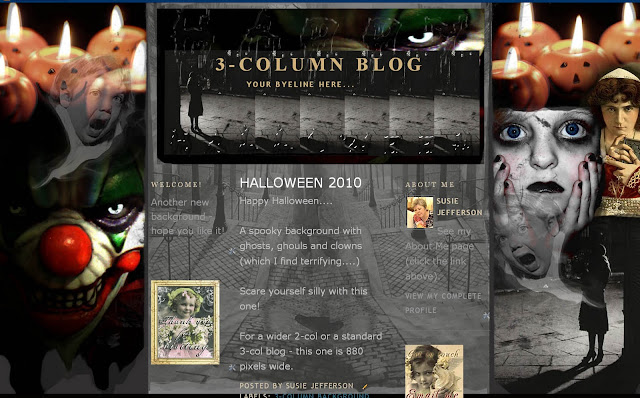
HALLOWEEN 2010 - Copyright Susie Jefferson
 Copy all the code below, exactly as you see it, and insert into an html box right into your sidebar or footer. This one will also work with the new Templates AND WordPress (depending on your template, of course. I know it works with WP's Bueno). This background is 880 pixels wide, so will fit standard 3-col blogs and wider 2-col blogs.
<style type="text/css">
body {background-image: url("http://i659.photobucket.com/albums/uu313/1stFloorFlatComputery/8c29da51.jpg"); background-position: center; background-repeat: no-repeat; background-attachment: fixed; }
</style>
<div id="tag" style="position:absolute; left:0px; top:50px; z-index:50; width:150px; height:30px;">
<a href="http://1stfloorflatblogology.blogspot.com/" target="_blank">
<img border="0" src="http://i659.photobucket.com/albums/uu313/1stFloorFlatComputery/47e6b740.jpg"/>
</a></div>
HEADER

HALLOWEEN 2010 - copyright Susie Jefferson
Copy the image code below to install, or download to your blog if you want to customise it with your own text.
http://i659.photobucket.com/albums/uu313/1stFloorFlatComputery/a82a3af7.jpg
BLINKIE

HALLOWEEN 2010 - Copyright Susie Jefferson
 This is too big for a side bar - I designed it to go in your footer section. If you desperately want a smaller one for your sidebar, email me and I'll resize it. Again, copy the image code (below) to install.
http://i659.photobucket.com/albums/uu313/1stFloorFlatComputery/a0a85f3b.gif
Scare yourselves silly with these... ghosts, ghouls, and clowns (these used to terrify me when I was a child. NOT funny... Remember 'ITl by Stephen King?)  Did you see those teeth??

pink saturday

Happy Halloween everyone...and don't forget to visit Beverly at How Sweet the Sound to see all the other wonderful Pink Saturday posts!

Friday, October 15, 2010

A HALLOWEENY PINK SATURDAY

I'm sure everyone is amazed to see I'm on WordPress - in fact, I've already moved my Techniques blog over, and am in the process of moving 1stFloorFlat as well. still here!

Why? Two reasons: the first is Blogger's continuing security issues and constant tinkering with their templates (some of my images now won't open up larger) and the second is that WordPress supports downloadable pdfs - so I hope to have some downloadable projects for you soon.

Meantime, I've been busy: a brand new blog background which will also work on WordPress blogs (I've tried it on the Bueno template) as well as Blogger blogs, including the new templates.

May I present STEAMPUNK...

Steampunk


You'll see it full sized as the background on my Computery blog, and also find the freebie download links and codes on Blogology, as always. The set includes two sizes of header plus a 'Thanks for visiting' button to go in your footer section (it's big).


Thanks for visiting button

Isn't this fun? And all thanks to Cecilia Swatton, who's got a massive new downloadable Steampunk image collection available:

Download from DigiScrap

Cecilia has kindly given me special permission to make these freebies for you!

AND NOW - A  HALLOWEEN VERSION OF 'LIBRARY'

Library - not just for Halloween

Here is my Halloween version of my Library background set (by popular request). Not too scary... for those of a nervous disposition who still want to join in the fun! Redolent of a Gentleman's Smoking Room, this is a little Steampunk-ish in itself.

Again, go to Blogology to get the download codes and installation instructions.

ENJOY!

Finally, don't forget to visit Beverly at How Sweet The Sound to see all the other Pink Saturday posts.

Friday, May 28, 2010

PINK SATURDAY - 2nd BIRTHDAY ANNIVERSARY

I thought it was the Pink Saturday anniversary last week - but it wasn't - it's THIS WEEK! Hurrah! 

So here is another digital birthday card for you (free for personal use).

Copyright Susie Jefferson

Don't forget to check out my last two Pink Saturdays for another birthday card and some Word Art for you all.

My Blog of the Week is Amanda Taylor's blog TaylorMade Designs - a great scrapbooking site with some freebie papers, great tutorials and totally wonderful photography.

pink saturday

Finally, don’t forget to visit Beverly at How Sweet the Sound to see all the other wonderful 2nd birthday Pink Saturday posts!