Showing posts with label headers. Show all posts

Wednesday, December 21, 2011

FREEBIE BLOG BACKGROUND - REINDEER

Background copyright Susie Jefferson, using images from Holiday Paper Pack 3 by Cesstrelle at HG Designs
Here's a new freebie Christmas background for you, using reindeer images from Cesstrelle's Holiday Paper Pack 3. Isn't this fun? Perfect for someone who wants a modern image with a bit of an edge.

This will fit most templates: 3-col, wide 2-col and also some of the freebie WordPress templates like Bueno. It will also fit some of the freebie Tumblr blog templates, eg: Redux. The Blogger template I've used here is Awesome.

BACKGROUND CODE

Just copy and paste all the code below into an html box in your sidebar.
<style type="text/css">
body {background-image: url("http://i659.photobucket.com/albums/uu313/1stFloorFlatComputery/3a093400.jpg"); background-position: center; background-repeat: no-repeat; background-attachment: fixed; }
</style>
<div id="tag" style="position:absolute; left:0px; top:50px; z-index:50; width:150px; height:30px;">
<a href="http://1stfloorflatblogology.blogspot.com/" target="_blank">
<img border="0" src="http://i659.photobucket.com/albums/uu313/1stFloorFlatComputery/9061ddc2.png"/>
</a></div>

HEADER

If you want to customise my header with your own text, right-click the picture to open to full size then left-click to save to your own computer. Add text using your favourite graphics programme, then load up and click' Instead of Title and Description'.

Otherwise, just save the header and click 'Behind Title and Description' to use Blogger's own default header text (click the Resize button if you want it smaller) or copy the code below and enter that instead.
http://i659.photobucket.com/albums/uu313/1stFloorFlatComputery/75d8d6cb.png
Check out Cesstrelle's blog HG Designs for more fabulous papers, brushes, textures etc.

Wednesday, October 12, 2011

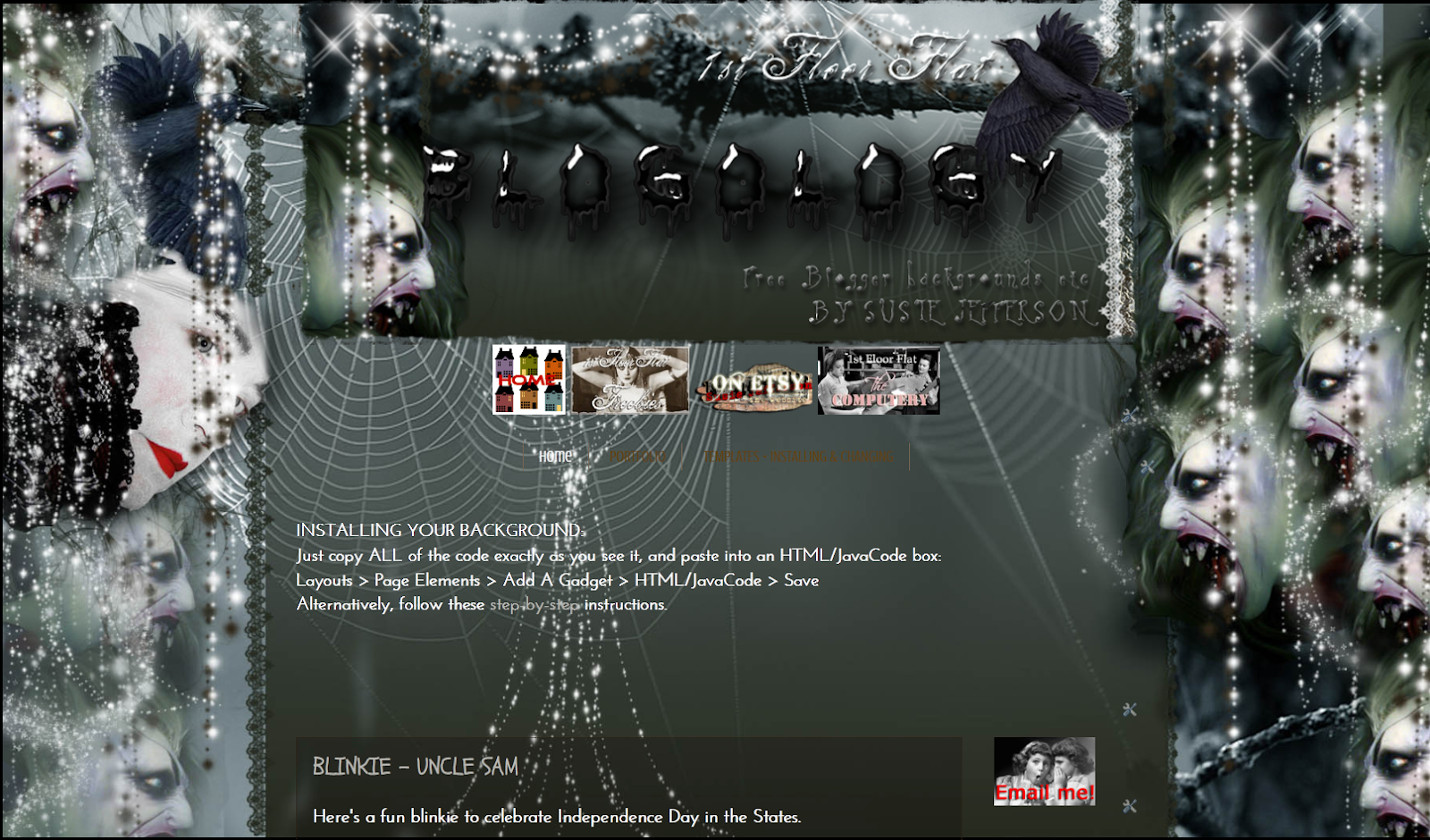
FREEBIE BLOG BACKGROUND - LUGOSI

The header - see blow to download

Bela Lugosi was the vampires' Vampire - and this blog background for any horror fan or Goth (it's not just for Halloween) is my homage to him.


BACKGROUND

Showing a little more of the background. This is Watermark template

Just copy and paste all the code below into an html box in your sidebar.
<style type="text/css">
body {background-image: url("http://i659.photobucket.com/albums/uu313/1stFloorFlatComputery/6c58df0b.jpg"); background-position: center; background-repeat: no-repeat; background-attachment: fixed; }
</style>
<div id="tag" style="position:absolute; left:0px; top:50px; z-index:50; width:150px; height:30px;">
<a href="http://1stfloorflatblogology.blogspot.com/" target="_blank">
<img border="0" src="http://i659.photobucket.com/albums/uu313/1stFloorFlatComputery/9061ddc2.png"/>
</a></div>

HEADER

1000 pixels wide - click the Resize for Blog if you want it smaller
If you want to customise my header with your own text, right-click the picture to open to full size then left-click to save to your own computer. Add text using your favourite graphics programme, then load up and click' Instead of Title and Description'.

Otherwise, just save the header and click 'Behind Title and Description' to use Blogger's own default header text (click the Resize button if you want it smaller) or copy the code below and enter that instead.
http://i659.photobucket.com/albums/uu313/1stFloorFlatComputery/75d8d6cb.png
If you are worried about such a dark background and are wondering how my posts show with a white background, I've used the Watermark template. Just go into Design, scroll down to Advanced, and adjust your settings to taste.

I hope you have fun with this one!

Sunday, October 9, 2011

FREE BLOG BACKGROUND - HORROR SHOW 2011

HORROR SHOW 2011 - freebie background from my Blogology blog
Here's my Halloween background (also for any Goths, horror movie fans etc) which I've tweaked for 2011 - the background is wider to accommodate bigger monitors (it's 1800 pixels wide) and with extra helpings of horror added, lol.

Just copy and paste all the code below into an html box in your sidebar.
<style type="text/css">
body {background-image: url("http://i659.photobucket.com/albums/uu313/1stFloorFlatComputery/21d26b6a.jpg"); background-position: center; background-repeat: no-repeat; background-attachment: fixed; }
</style>
<div id="tag" style="position:absolute; left:0px; top:50px; z-index:50; width:150px; height:30px;">
<a href="http://1stfloorflatblogology.blogspot.com/" target="_blank">
<img border="0" src="http://i659.photobucket.com/albums/uu313/1stFloorFlatComputery/9061ddc2.png"/>
</a></div>

HEADER

980 pixels wide
If you want to customise my header with your own text, right-click the picture to open to full size then left-click to save to your own computer. Add text using your favourite graphics programme, then load up and click' Instead of Title and Description'.

Otherwise, just save the header and click 'Behind Title and Description' to use Blogger's own default header text - or copy the code below and enter that instead.
http://i659.photobucket.com/albums/uu313/1stFloorFlatComputery/5b722a63.png

For standard header widths, see my earlier version here: HORROR SHOW

PERFECT POSITIONING:

Here's how to centre the heading in the older templates (eg: Minima), and here is the tutorial for centering the header and removing that bar at the top that shows behind the header in some templates (eg: Simple, Watermark).

Friday, January 14, 2011

HAPPY PINK SATURDAY BACKGROUNDS


Pink is this year's colour - it's official! Home & Garden (a French blog) says so! So it must be true! Oh la la, what a colour!


However, it's not the same colour in my Photoshop7 programme - I had to use ColorZilla (a free Firefox app) to get the exact colour coding!
'Cup of Rose' by RegularJane on Deviant Art


Due to computer problems I haven't been participating lately, but as it's behaving itself again - AND I've sorted out my keyboard (see the post below this one) so I'm back to normal (ish) again. To celebrate, I've made a background and header set in two colourways - a little Spring-like (I'm positive Spring is just around the corner...)

LACE FLOWERS - PINK


As you can see, this works for a 3-colum blog - also the new Designer Templates! Here, I used Awesome No 2, then adjusted it to tone in with my background. This template will also work with some free WordPress templates (eg: Bueno) as well as the older Blogger templates (eg: Minima). It will also work with wide 2-col blogs etc.

Copy ALL the code and paste into an html widget box (it'll load fastest if the widget is at the bottom of your blog):
<style type="text/css">
body {background-image: url("http://i659.photobucket.com/albums/uu313/1stFloorFlatComputery/749b8e3a.jpg"); background-position: center; background-repeat: no-repeat; background-attachment: fixed; }
</style>
<div id="tag" style="position:absolute; left:0px; top:50px; z-index:50; width:150px; height:30px;">
<a href="http://1stfloorflatblogology.blogspot.com/" target="_blank">
<img border="0" src="http://i659.photobucket.com/albums/uu313/1stFloorFlatComputery/9061ddc2.png"/>
</a></div>
HEADER

Header design copyright Susie Jefferson - bee border from Penniwig's
Custom Text
Either left-click to bring the header up to full size, then right-click to copy to your computer. Add your own text using your favourite graphics programme. Upload to Blogger and tick 'Instead of title and description'. If using a 3-col or wide 2-col template, DON'T click the 'shrink to fit' option.

Blogger's Default Text
Either left-click to bring the header up to full size, right-click to copy to your computer, then upload to Blogger, using the default header text by ticking 'Behind title and description'. OR download the header code instead (above). Upload to Blogger using the default header text by ticking 'Behind title and description'.
LACE FLOWERS - BLUE

See the background in action live on Blade Rubber Stamps blog
This is using the old Editor, and a modified (to 3 columns) Minima template, so you can see how the same background design (although a different colourway) can work on different templates. You can also see that I customised the header with my own fonts. If you need to adjust the placement of the header in Minima or any of the older templates, here's my tutorial.

Copy ALL the code into an html widget:
<style type="text/css">
body {background-image: url("http://i659.photobucket.com/albums/uu313/1stFloorFlatComputery/4d11cc0c.jpg"); background-position: center; background-repeat: no-repeat; background-attachment: fixed; }
</style>
<div id="tag" style="position:absolute; left:0px; top:50px; z-index:50; width:150px; height:30px;">
<a href="http://1stfloorflatblogology.blogspot.com/" target="_blank">
<img border="0" src="http://i659.photobucket.com/albums/uu313/1stFloorFlatComputery/9061ddc2.png"/>
</a></div>

HEADER


See the instructions above on how to install your header. Here's the code if you'd prefer it:
http://i659.photobucket.com/albums/uu313/1stFloorFlatComputery/d000ef8e.jpg
Hope you enjoy these!

pink saturday

Finally, please visit Beverly at How Sweet the Sound to see all the other wonderful Pink Saturday posts!

Friday, December 3, 2010

PINK SATURDAY - ON THE 2nd WEEK OF CHRISTMAS...

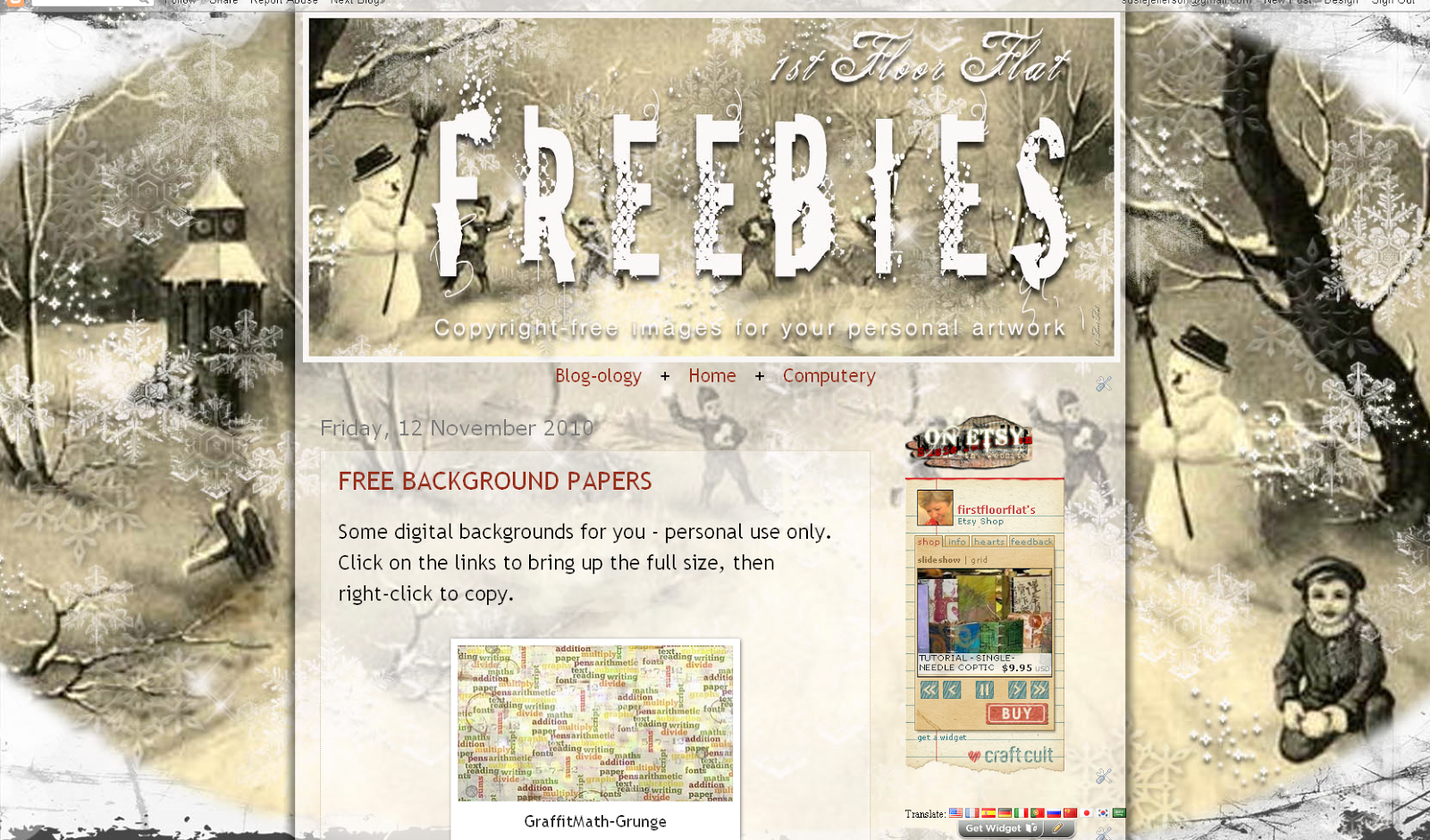
Vintage Snowman background - copyright Susie Jefferson
I always love Pink Saturdays, although now we're in the depths of a freak early Winter, I guess it should be White Saturday - so here's a new freebie Christmassy background and header set for you.

A sweet little vintage background for wide 2-col or 3-col blogs, this will work with Minima (old Editor) and Watermark (new Template Designer) plus some of the WordPress freebie templates.

Copy all the code into an html/widget box:
<style type="text/css">
body {background-image: url("http://i659.photobucket.com/albums/uu313/1stFloorFlatComputery/bd781ea0.jpg"); background-position: center; background-repeat: no-repeat; background-attachment: fixed; }
</style>
<div id="tag" style="position:absolute; left:0px; top:50px; z-index:50; width:150px; height:30px;">
<a href="http://1stfloorflatblogology.blogspot.com/" target="_blank">
<img border="0" src="http://i659.photobucket.com/albums/uu313/1stFloorFlatComputery/9061ddc2.png"/>
</a></div>
HEADER
Vintage Snowman header - copyright Susie Jefferson
Here's the matching header - as it's a rectangle and saved as a jpg, it's your choice if you'd like to left-click to bring up to full size then right-click to copy it and add your own text in your favourite digital programme, or load from the code below
http://i659.photobucket.com/albums/uu313/1stFloorFlatComputery/38b32207.jpg

The header is 950px wide, so try saving without clicking the 'size to fit blog' option first, and if it's too big then reload it, clicking the option this time.

TIPS:
  • If loading the header using my code, just make sure you wait long enough for the image to load. You should see it in the preview pane BEFORE you click 'Save.
  • If you feel your text is too far to one side, or you use the default Blogger text and it looks too high up, then use my tutorial to adjust.
RECIPE CARDS

Beverly at How Sweet The Sound has suggested Christmas recipes as this week's theme, so here are some recipe cards. Left-click to bring up to the full size, and right-click to copy to your computer.

Fabric Leaf recipe card - copyright Susie Jefferson
Tartan recipe card - copyright Susie Jefferson
Vintage Snow recipe card - copyright Susie Jefferson
These are a new thing I thought I'd try: they measure 4 in x 6 in. (I'd appreciate a comment as to whether they download at the correct size, like they are supposed to). One for quilters and fabric artists, one country/shabby chic style and one vintage one. As they are a standard photo paper (and postcard) size, you could print them out and pop a photo of the dish on the back! If anyone does this, I'd love to see it.

Here is the link for my Lethal Sherry Trifle, if anyone would like it. It's highly alcoholic but tastes wonderful!

pink saturday

Finally, please visit Beverly at How Sweet the Sound to see all the other wonderful Pink Saturday posts!

Friday, October 15, 2010

A HALLOWEENY PINK SATURDAY

I'm sure everyone is amazed to see I'm on WordPress - in fact, I've already moved my Techniques blog over, and am in the process of moving 1stFloorFlat as well. still here!

Why? Two reasons: the first is Blogger's continuing security issues and constant tinkering with their templates (some of my images now won't open up larger) and the second is that WordPress supports downloadable pdfs - so I hope to have some downloadable projects for you soon.

Meantime, I've been busy: a brand new blog background which will also work on WordPress blogs (I've tried it on the Bueno template) as well as Blogger blogs, including the new templates.

May I present STEAMPUNK...

Steampunk


You'll see it full sized as the background on my Computery blog, and also find the freebie download links and codes on Blogology, as always. The set includes two sizes of header plus a 'Thanks for visiting' button to go in your footer section (it's big).


Thanks for visiting button

Isn't this fun? And all thanks to Cecilia Swatton, who's got a massive new downloadable Steampunk image collection available:

Download from DigiScrap

Cecilia has kindly given me special permission to make these freebies for you!

AND NOW - A  HALLOWEEN VERSION OF 'LIBRARY'

Library - not just for Halloween

Here is my Halloween version of my Library background set (by popular request). Not too scary... for those of a nervous disposition who still want to join in the fun! Redolent of a Gentleman's Smoking Room, this is a little Steampunk-ish in itself.

Again, go to Blogology to get the download codes and installation instructions.

ENJOY!

Finally, don't forget to visit Beverly at How Sweet The Sound to see all the other Pink Saturday posts.