Showing posts with label Blogger Design. Show all posts

Wednesday, December 21, 2011

FREEBIE BLOG BACKGROUND - REINDEER

Background copyright Susie Jefferson, using images from Holiday Paper Pack 3 by Cesstrelle at HG Designs
Here's a new freebie Christmas background for you, using reindeer images from Cesstrelle's Holiday Paper Pack 3. Isn't this fun? Perfect for someone who wants a modern image with a bit of an edge.

This will fit most templates: 3-col, wide 2-col and also some of the freebie WordPress templates like Bueno. It will also fit some of the freebie Tumblr blog templates, eg: Redux. The Blogger template I've used here is Awesome.

BACKGROUND CODE

Just copy and paste all the code below into an html box in your sidebar.
<style type="text/css">
body {background-image: url("http://i659.photobucket.com/albums/uu313/1stFloorFlatComputery/3a093400.jpg"); background-position: center; background-repeat: no-repeat; background-attachment: fixed; }
</style>
<div id="tag" style="position:absolute; left:0px; top:50px; z-index:50; width:150px; height:30px;">
<a href="http://1stfloorflatblogology.blogspot.com/" target="_blank">
<img border="0" src="http://i659.photobucket.com/albums/uu313/1stFloorFlatComputery/9061ddc2.png"/>
</a></div>

HEADER

If you want to customise my header with your own text, right-click the picture to open to full size then left-click to save to your own computer. Add text using your favourite graphics programme, then load up and click' Instead of Title and Description'.

Otherwise, just save the header and click 'Behind Title and Description' to use Blogger's own default header text (click the Resize button if you want it smaller) or copy the code below and enter that instead.
http://i659.photobucket.com/albums/uu313/1stFloorFlatComputery/75d8d6cb.png
Check out Cesstrelle's blog HG Designs for more fabulous papers, brushes, textures etc.

Sunday, December 11, 2011

BAH HUMBUG - MORE BLOGGER HEADACHE!

Copyright-free image from Tack-o-Rama
A friend contacted me, asking for help as her blog is now only showing one post at a time! What makes it worse is that resetting the number of posts to show on a page didn't work.

Why? Good old Blogger has done it again: they have now introducted autopagination as this article explains. And NO, you can't disable it (I just spent 4 hours trying).

These things do settle down... I had 3 weeks of my Older, Newer and Home buttons not working at the bottom of a page back in the summer, and this righted itself in time. Ditto around 5 weeks of being unable to leave comments. But it's really frustrating when it happens!

I think for my friend things have been made worse because her blog is privately hosted, not a Blogger blog. And I just found out we don't own our own content - Blogger does! Yikes! What with the Picasa scandal (click on Picasa in the labels section of my sidebar if you want to read the rants) I am really getting worried about Blogger again. I love the format, I've even forgiven them for trying to stop us customising the layouts ourselves... but this might just be a step too far.

Copyright-free image from Tack-o-Rama

Over the Christmas holidays I'll be reinvestigating Tumblr and WordPress (again) and will report back.

We really don't need this just now!

Friday, November 11, 2011

PINK SATURDAY - GETTING READY FOR CHRISTMAS

My 'NOEL' Configuration box - I'm teaching this next week at Blade Rubber Stamps!
I know it's early, but if you're making your own decorations you really need to start NOW!

My excuse (not that I needed one) is that I'm also teaching a couple of classes shortly, so of course I've got to make my samples. I'm totally in the mood, and can't wait to put up all our decorations on 1st December. So... if you want to make some too (or overhaul the ones you already have) here's some inspiration.

My own wreath, for my Christmas Decorations Special class at Blade Rubber Stamps
Closeup of my wreath for the Christmas Decoration Special class.

The secret with wreaths (and any decoration, really) is lots of dimension, lots of glitz and glitter, lots of reflective surfaces and lots of colour. And lots of lights.

My 'NOEL' box - closeup - unlit
My 'NOEL' configuration box - closeup - lit up (including a little LED light up the skirt of the blown glass angel on top)
The box unlit, in daylight
All lit up for the evening
Closeup of the tree, the other lights and the German glass glitter - this tarnishes a little over time, adding to the atmosphere of the piece
Of course these rules can be broken: white on white, shabby chic, matt surfaces played off against glossy surfaces... don't take it all too seriously though -  it's supposed to be fun after all! If you don't have fun with your decorating, it show!

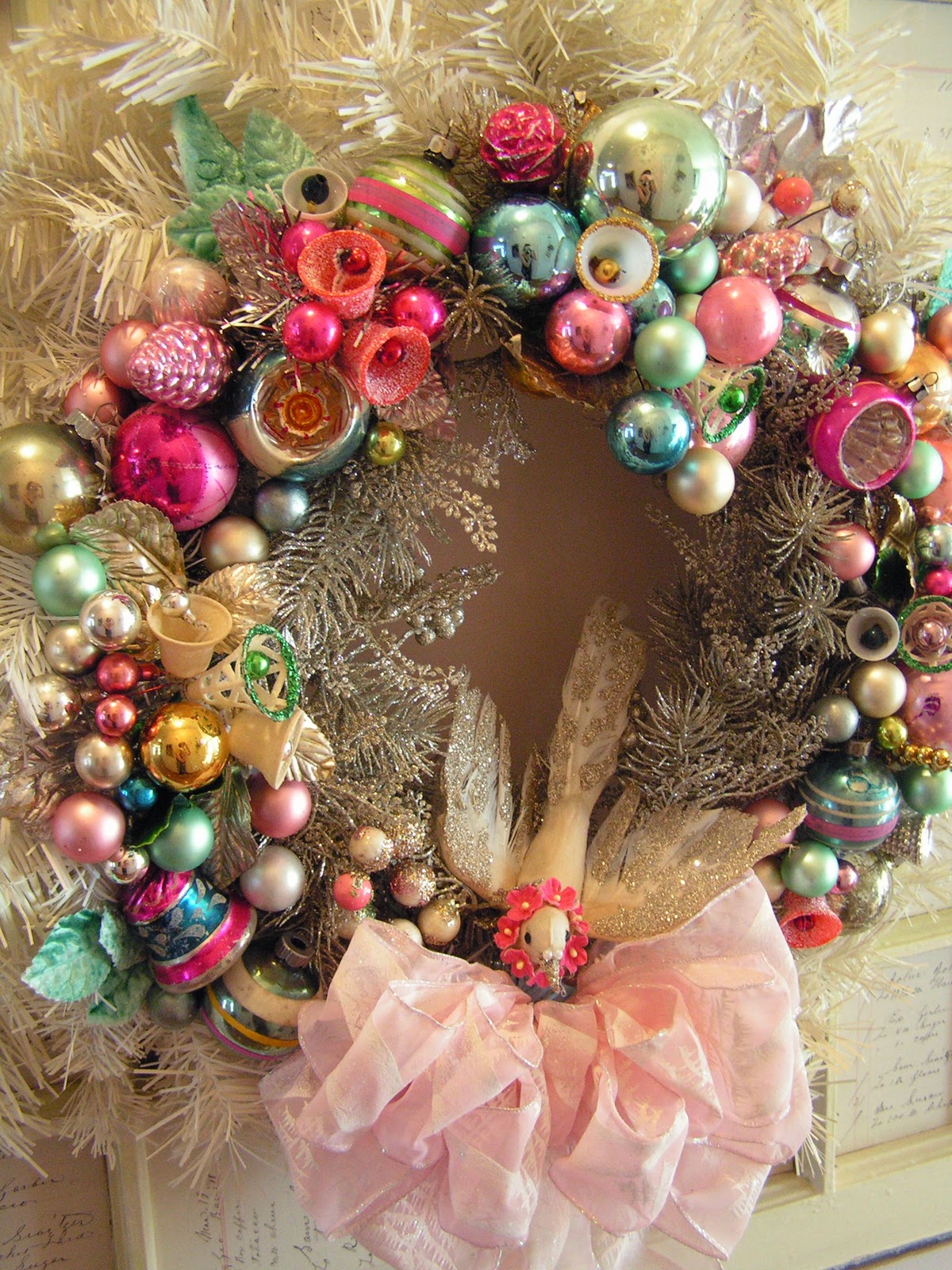
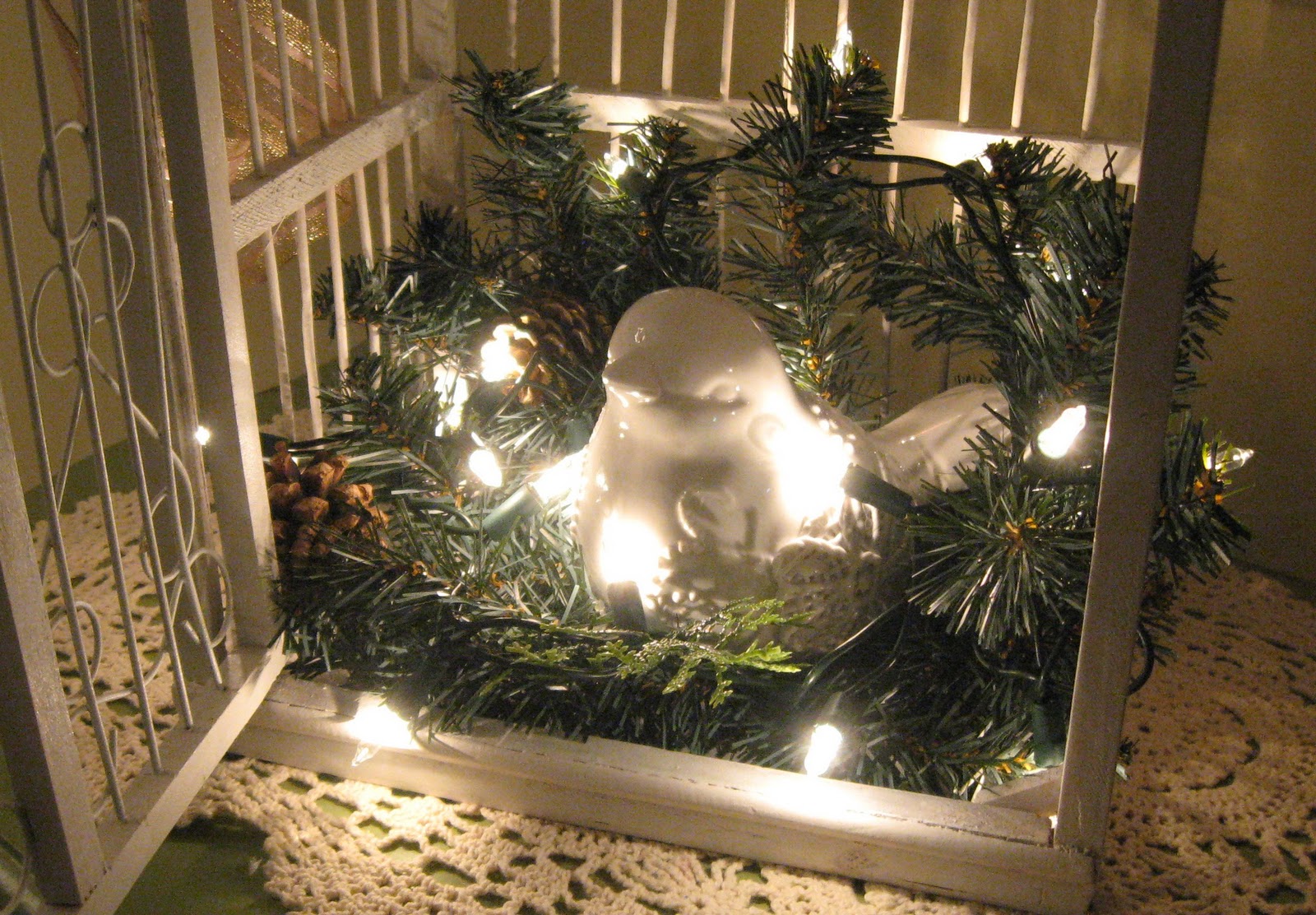
White wreath, pink ribbons and the sweetest little bird - wish I knew who made it! If it's YOU, please let me know
Off pinterest
Copyright HappyDotMom - click this link for the tutorial

Above is some inspiration I've seen online - I am crediting where I can (I lost a lot of my links when my old computer died) so if this is yours, and not credited and linked to you, please let me know so I can give credit where it's due!

Copyright Michele Kovak - tutorial here
I adore the cupcake ornament/place setting above - and can see this will adapt very nicely for snowball ornaments too.

Copyright Karina Guirre at Creative Chaos
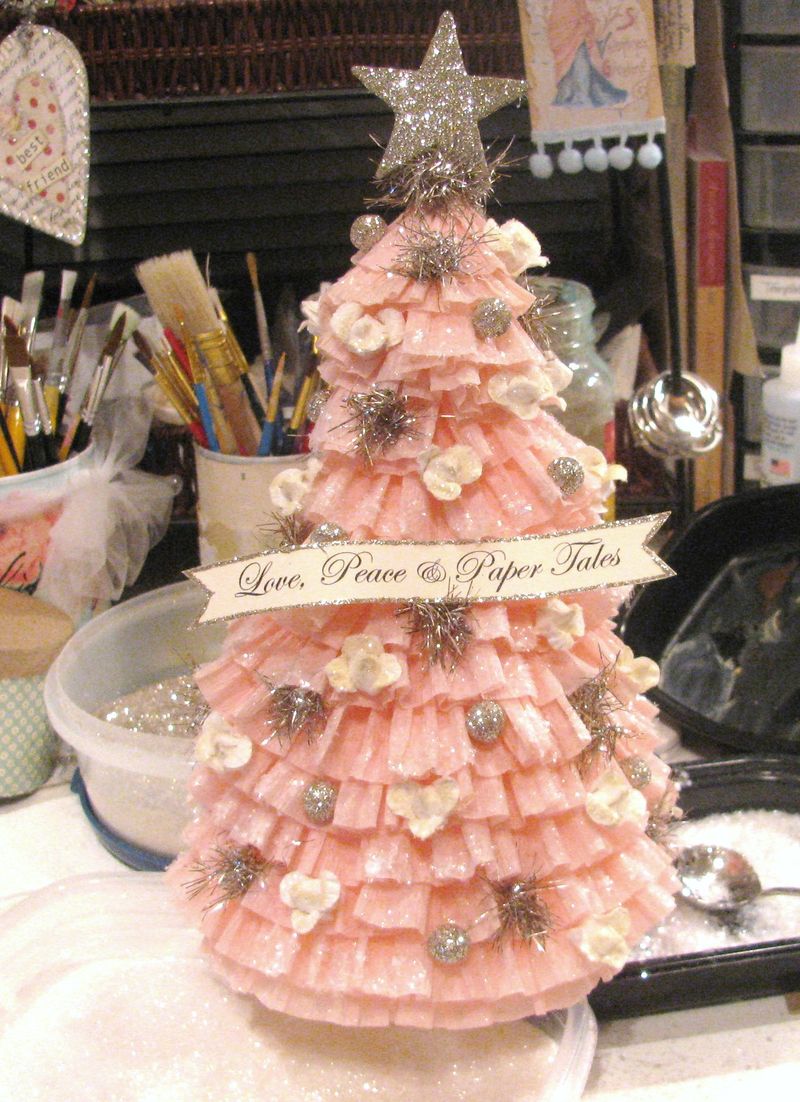
Above is the ultimate in do-it-yourself trees by Karin at Creative Chaos - I absolutely adore it.  A wonderful confection of crepe paper, tinsel and glittery balls (with a touch of artificial snow) her tutorial is here.

Finally, below is another wonderful display - with and without lights, adapting ornaments you probably already have.

Copyright Sandi for Christmas Pudding
Copyright Sandi at Christmas Pudding - all lit up with LED lights nestling in the foliage
These images are copyright Sandi at Rose Chintz Cottage (who we all know and love)  - who also has this other wonderful blog: Christmas Pudding.As you can tell, I'm highly recommending using lights whenever and wherever possible.

For my freebie Vintage Robins background and header set, go here

Have you noticed Sandi's using my freebie Vintage Robins blog background on her Christmas Pudding blog?

pink saturday

Finally, please visit Beverly at How Sweet the Sound to see all the other wonderful Pink Saturday posts!

Friday, October 28, 2011

A VERY PINK HALLOWEEN

  
PINK HALLOWEEN by Susie Jefferson

As it's Halloween weekend, I thought you'd like a non-scary and PINK background and header set.


Just copy and paste all the code below into an html box in your sidebar.
<style type="text/css">
body {background-image: url("http://i659.photobucket.com/albums/uu313/1stFloorFlatComputery/25902efb.jpg"); background-position: center; background-repeat: no-repeat; background-attachment: fixed; }
</style>
<div id="tag" style="position:absolute; left:0px; top:50px; z-index:50; width:150px; height:30px;">
<a href="http://1stfloorflatblogology.blogspot.com/" target="_blank">
<img border="0" src="http://i659.photobucket.com/albums/uu313/1stFloorFlatComputery/9061ddc2.png"/>
</a></div>

HEADER
  
Right-click to bring up to full size, then left-click to save to your computer. Add your own text with your favourite graphics programmes or click 'Behind title and description'.

PERFECT POSITIONING:

Here's how to centre the heading in the older templates (eg: Minima), and here is the tutorial for centering the header and removing that bar at the top that shows behind the header in some templates (eg: Simple, Watermark). I've used the Watermark template for my test blog.

Here's a fun YouTube video for not-too-scary Horror fans: the Addams Family:


I hope you all have a fun Halloween.

We don't really 'do' Halloween in the UK, although it's catching on fast - but I've been buying up B movie DVDs from the local discount shops, and have stocked up on popcorn and a couple of bottles of wine, so the plan is that Himself and I will be holed up and having a film fest all to ourselves! Can't wait!

pink saturday  

Finally, please visit Beverly at How Sweet the Sound   to see all the other wonderful Pink Saturday posts!

BLOGGER RANT AND SULK

Copyright-free image from Tack-o-Rama

I'm sure we've all noticed a heck of a lot of changes on Blogger just lately - including a new Dashboard interface, which they are currently inviting us to try.

Well, I tried it. Hated it, and changed back - and have now read on another blog: Anne's El Milagro Studio, that we're going to be made to have it whether we want it or not! When I changed back to the old Dashboard, I was asked to comment. I (and many others) have asked about whether our blog lists are private, and also whether we can hide our test blog links etc. No comment, no answer.

As I do a lot of blog makeovers (you may have noticed) I am particularly concerned as now, instead of having the email address and password of the person I'm installing the blog for (as it used to be) I now have to be invited to a blog, then made an Administrator. This means that when using the new interface their blog shows under my blog list - so I don't want other people accessing someone else's blog from my own site without their permission! So, having had NO reply whatsoever re the security and privacy issues, I reverted to the old Dashboard where at least I know what I'm doing, and the blogs I'm working on stay hidden!


There was also a Dynamic blog template available last week - a total disaster. I tried it - it was a mess. It couldn't be customised (when you wanted to go back to Design to adjust fonts, links etc, it just took you straight back into the template) and all I'll say is that it was a good thing I tried it on a test blog, not one of my 'real' ones! I've read that people were losing their entire sidebar content, etc.

I notice this has now disappeared... I'll leave you to draw your own conclusion.

And have you noticed the ads? And how Blogger are now push, push, pushing them? And how all the templates seem to be veering towards white & corporate (like WordPress -where so many of the blogs look like finance or real estate websites)? On some blogs, you can't see the content for the ads. These need to stay in the sidebar.

Copyright-free image from Tack-o-Rama
I am seriously wondering about security, what with the Picasa situation (where all your blog images and photos are up for grabs to ANYONE unless you've gone in and made your albums private - and yes, one is created FOR you when you create a blog - even though you didn't actually create a Picasa album yourself...). And every image you post to your blog goes into the Picasa site. I wonder whether Blogger is trying to get rid of all us artistic types with our tons of pix and our complicated backgrounds using up lots of bandwith. I wonder about Google altogether - with the scandal over their GoogleEarth maps invading privacy, showing closeups of people and places without permission.

Don't believe me re Picasa? Read my post on privacy and the one on finding whether you have an album, check out the links and see for yourself (better safe than sorry).

In my opinion, Blogger didn't like all the tweaks and customisations with the older templates - so have tried to move us to the new ones. So all us designers have immediately searched for tweaks and customisations for those as well. Hence their move to dynamic content (believe me, that template option will be back very shortly - shame they didn't test it properly in the first place). And I'm sure it's only the tip of the iceberg.

Blogger are trying to rival WordPress. We stayed with Blogger because WordPress is so difficult - I know, I've tried on two separate occasions (giving it around a month each time) and migrated back to Blogger again.

WordPress doesn't have the Follower widget, which I really missed. In fact, unless you sign up with WordPress.org (which you have to pay for) rather than WordPress.com (which has some freebies), you won't get much choice at all unless you love a template exactly as is, and don't want to alter it.

I've posted some tweaks: headers, backgrounds, and some of the freebie sites will work with freely available background designs (eg: Coraline, Bueno) but most WordPress templates won't - unless you pay for them. Here's my link showing how to use a Blogger background with some of the WordPress freebie templates.

Blogger has always been free - but I think they may head down this path, or else try to gain revenue to compensate (ads etc - and possibly put them onto our blogs even if we don't want them).

So I'm now trying Tumblr. This used to be very hard to customise (I tried it last year when I tried WordPress again) and I'm very happy to report they now allow you to get at the html so you can tweak! You do have to be very careful and download a copy of your blog to Notebook etc (Tumblr doesn't have a little 'Download template' button, so you have to highlight, scroll then copy&paste) but you can customise. I've already widened the posting area, inserted a background, adjusted placement and installed a custom header... so watch this space.

I'm not testing out TypePad as this is another one you have to pay for (Tumblr is free, although they have some of the fancier templates for sale). Any site that asks for my credit/debit card details before I can even have a free trial doesn't GET a trial, in my opinion. Sorry. I have used TypePad (I did a makeover for a client) and unless you purchase the most expensive option, Theme Builder, you don't have much choice re customisation either. And even then, it's limited although you can tweak some of the html.

So I'm going to try out all the available platforms out there that I can, and I'll keep you posted - and also start posting tutorials on Tumblr as soon as I've practiced a little more.

I think a lot of Blogger bloggers could be migrating....

Wednesday, October 12, 2011

FREEBIE BLOG BACKGROUND - LUGOSI

The header - see blow to download

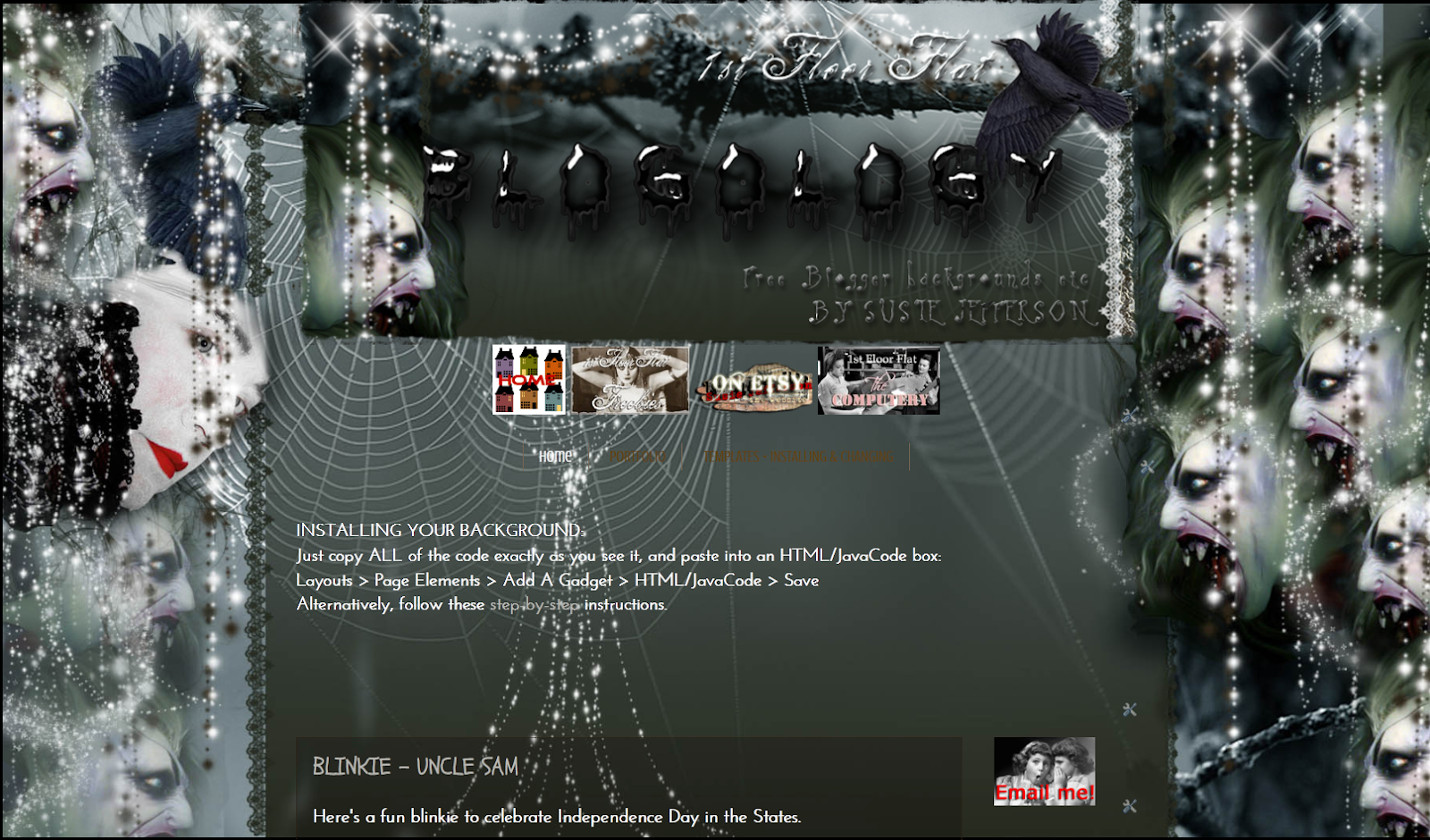
Bela Lugosi was the vampires' Vampire - and this blog background for any horror fan or Goth (it's not just for Halloween) is my homage to him.


BACKGROUND

Showing a little more of the background. This is Watermark template

Just copy and paste all the code below into an html box in your sidebar.
<style type="text/css">
body {background-image: url("http://i659.photobucket.com/albums/uu313/1stFloorFlatComputery/6c58df0b.jpg"); background-position: center; background-repeat: no-repeat; background-attachment: fixed; }
</style>
<div id="tag" style="position:absolute; left:0px; top:50px; z-index:50; width:150px; height:30px;">
<a href="http://1stfloorflatblogology.blogspot.com/" target="_blank">
<img border="0" src="http://i659.photobucket.com/albums/uu313/1stFloorFlatComputery/9061ddc2.png"/>
</a></div>

HEADER

1000 pixels wide - click the Resize for Blog if you want it smaller
If you want to customise my header with your own text, right-click the picture to open to full size then left-click to save to your own computer. Add text using your favourite graphics programme, then load up and click' Instead of Title and Description'.

Otherwise, just save the header and click 'Behind Title and Description' to use Blogger's own default header text (click the Resize button if you want it smaller) or copy the code below and enter that instead.
http://i659.photobucket.com/albums/uu313/1stFloorFlatComputery/75d8d6cb.png
If you are worried about such a dark background and are wondering how my posts show with a white background, I've used the Watermark template. Just go into Design, scroll down to Advanced, and adjust your settings to taste.

I hope you have fun with this one!

Sunday, October 9, 2011

FREE BLOG BACKGROUND - HORROR SHOW 2011

HORROR SHOW 2011 - freebie background from my Blogology blog
Here's my Halloween background (also for any Goths, horror movie fans etc) which I've tweaked for 2011 - the background is wider to accommodate bigger monitors (it's 1800 pixels wide) and with extra helpings of horror added, lol.

Just copy and paste all the code below into an html box in your sidebar.
<style type="text/css">
body {background-image: url("http://i659.photobucket.com/albums/uu313/1stFloorFlatComputery/21d26b6a.jpg"); background-position: center; background-repeat: no-repeat; background-attachment: fixed; }
</style>
<div id="tag" style="position:absolute; left:0px; top:50px; z-index:50; width:150px; height:30px;">
<a href="http://1stfloorflatblogology.blogspot.com/" target="_blank">
<img border="0" src="http://i659.photobucket.com/albums/uu313/1stFloorFlatComputery/9061ddc2.png"/>
</a></div>

HEADER

980 pixels wide
If you want to customise my header with your own text, right-click the picture to open to full size then left-click to save to your own computer. Add text using your favourite graphics programme, then load up and click' Instead of Title and Description'.

Otherwise, just save the header and click 'Behind Title and Description' to use Blogger's own default header text - or copy the code below and enter that instead.
http://i659.photobucket.com/albums/uu313/1stFloorFlatComputery/5b722a63.png

For standard header widths, see my earlier version here: HORROR SHOW

PERFECT POSITIONING:

Here's how to centre the heading in the older templates (eg: Minima), and here is the tutorial for centering the header and removing that bar at the top that shows behind the header in some templates (eg: Simple, Watermark).

Monday, September 26, 2011

A LOVELY COMPLIMENT

Blog design etc by Colorful Balloons
ColorfulBalloons has emailed me a couple of times re updating the coding on his blog design, and has written a lovely little post about me!

I'm so thrilled - isn't this the nicest thing?

Do go and take a look at the blog - some great stuff there, and some very interesting blogs that have been recommended (including MINE, yaaaaay).

Tuesday, July 19, 2011

BLOGGER - the latest hiccup

Copyright-free image from Tack-o-Rama
Just to let you know - the latest hiccup with Blogger isn't Blogger itself - it's the latest versions of Internet Explorer.

Pages link bar on Firefox - all the links are there
Internet Explorer - only the Home page shows
If you use IE, you may want to check whether your Pages widget is showing as it should. If you set it to be horizontal in a line under the header, you may well find it showing veritcally, with one link under the other, instead of side by side. Or - as with mine - you may find they don't show up AT ALL! It's enough to make you tear your hair out!

Copyright-free image from Tack-o-Rama
However, here's a way to sort it out once and for all - put in your own text links.

First thing to do click on each page, so you have them all up on show in separate tabs, so you can switch backwards and forwards to get the codes easily. If you are on IE, and it insists on bringing up a new blog every time, try this: press the CTRL key + the link, and your page should open up in a new tab.

Next thing to do is go to your Dashboard and then Design > Page Elements view, click on Add a Widget and add an html widget under your header.

ADDING AN EXTRA WIDGET UNDER YOUR HEADER

Some of you (with certain of the new Design Templates) may find that Blogger refuses to let you do it, so you'll have to click on Edit HTML in your blog and actually get in there and change a little coding, to add an extra widget. It's always best to download a copy of your blog to your desktop, just in case...

Now you need to type in CTRL + F on your keyboard while in Edit HTML view - and you'll see the 'Find' box in a toolbar right at the bottom of your screen, just above your Start button.

Type: 
<b:section class='header' 
into the box, and you'll be taken to the correct section of code in your blog, which will highlight for you in green.

This is what you will see:
<b:section class='header' id='header' maxwidgets='1 showaddelement='no'>
You need to change the number of widgets to 3 (on some blogs, 2 is enough - but 3 works on ALL blogs) and 'no' to 'yes' - your code will now look like this:
<b:section class='header' id='header' maxwidgets='3 showaddelement='yes'>
Save it. Now when you go to Page Elements view, you'll see some new widget bars (one above your header, and one or two below it - OR - you'll find when you drag&drop an html widget into the same space as your Pages widget, that the blog will accept it.).

SORTING OUT A TEXT LINK BAR

Into your new html widget, you'll need to enter each page as a separate link.
<center>
<h2>
<b>
<a href="URL OF YOUR PAGE" target="_blank">Name of Page</a>
nbsp;
nbsp;
<a href="URL OF YOUR PAGE" target="_blank">Name of Page</a>
nbsp;
nbsp;
<a href="URL OF YOUR PAGE" target="_blank">Name of Page</a>
</b>
</h2>
</center>
I've done two for you, separated by Non Breaking Spaces (so they will line up horizontally next to each other). Just copy&paste as many links as you need. I've entered the coding vertically to make it easier to work with, but I promise you the link will display horizinally when 'live'.

The important thing to remember is to leave no spaces between the " symbols when entering the URL of each page address.

You'll see I've added this piece of code:
target="_blank"
This will make each link open into a separate tab. If you don't want that, just delete it.

Once you've checked you have entered all the page links, test them out - and THEN delete your Pages widget.

Copyright-free image from Tack-o-Rama
SUGGESTION

If you have a big blog, with tons of links and content, why don't you copy the entire contents of your new widget and create another html widget in your Footer area. Then people won't have to scroll back up to the top of your blog to navigate.

I hope this helps! (and I'll be archiving this post onto Computery).

Friday, June 24, 2011

PINK SATURDAY - MY FIRST RELIGIOUS MAKEOVER


I've not been able to participate in the Pink Saturday meme for a few weeks, due to an unco-operative and not-very-well computer - so I'm thrilled to be able to join in this week, and also to show you some new artwork.


 This week has been a wonderful experience - my first religous blog makeover: a set of three separate blogs, all interlinking, to act as a website. I was given totally free reign and based my theme on Mediaeval artwork - to my mind, the best examples of their kine. Each painting was not only a religious experience on the part of the artist, but also the embodiment of their own personal beliefs. And truly beautiful.


It's been a lot of work, putting in all the bells & whistles: post dividers, signatures, Older, Newer and Home buttons, numbered comments - all that stuff - but SO worth it.

I am quietly very pleased, and do hope you like it too!

pink saturday


Don’t forget to visit Beverly at How Sweet the Sound to see all the wonderful Easter time Pink Saturday posts!

Monday, June 20, 2011

MY LATEST BLOG MAKEOVERS - BIKER SITES!!!!

Welcome to SkullBay and SNR Art Corner! I was totally thrilled to be commissioned to do two blog makeovers - for BIKER sites! And even more thrilled that Steve, Mr Skull N Roses himself (below) is really pleased with them.

Copyright BJL and Mr Skull N Roses

SkullBay and SNR Art Corner are add-ons to Mr Skull N Roses' main site, Biker Jewelry Info.


SkullBay is going to operate a little like eBay - but for biker jewellery, heavy metal designs, Goth etc. It's going to be a very exciting site!


SNR Art Corner is going to be a site showing art - jewellery design, paintings, fantasy art, digital art etc - so you may want to submit some of your work for display. The original painting I used for the background (with his permission) is by Dmitri Mitsuk.


SkullBay


I've also done buttons and blinkies (I bet this is the first biker blinkie ever!) and generally had a wonderful time with it all.

Anyone looking for a blog makeover with a difference? Contact me (email button in sidebar) or go to my Esty shop  to check out the packages I offer. Want freebies or to do it yourself? Check out my Blogology site (link under the header).