Showing posts with label Digital images. Show all posts

Friday, July 8, 2011

PINK SATURDAY - DESKTOP SCREEN SAVER & TUTORIAL

The screensaver I've designed - icons wherever you want them to go
(copyright Susie Jefferson)

This week, I decided to get my desktop organised. 

I've been reading a book from the library on how to care for your computer, cosset it, generally keep it happy - and discovered to my horror that my beloved Active Desktop Screensaver (which I've had for years) is Not A Good Idea!

My old desktop screensaver - Active Desktop Calendar to
the right, and all my icons on the left in orderly rows
These use up loads of memory, and if your computer is temperamental and on the old side (yes, to both) then you really shouldn't have anything active on your desktop. No fancy stuff apart from icons. Well, I don't know about you - but I find the screensavers that come with my computer programme (Windows XP) are beyond boring!

Screensaver at 1680 x 1050 resolution
Click here for the direct download
Screensaver at 1800 x 1050 resolution
Click here for the direct download
So I decided to make my own desktop calendar page for August, and here it is if you'd like to download it too. Left-click to open the folder at full size then right-click to save to your computer OR use the direct download links under the pictures.

TUTORIAL

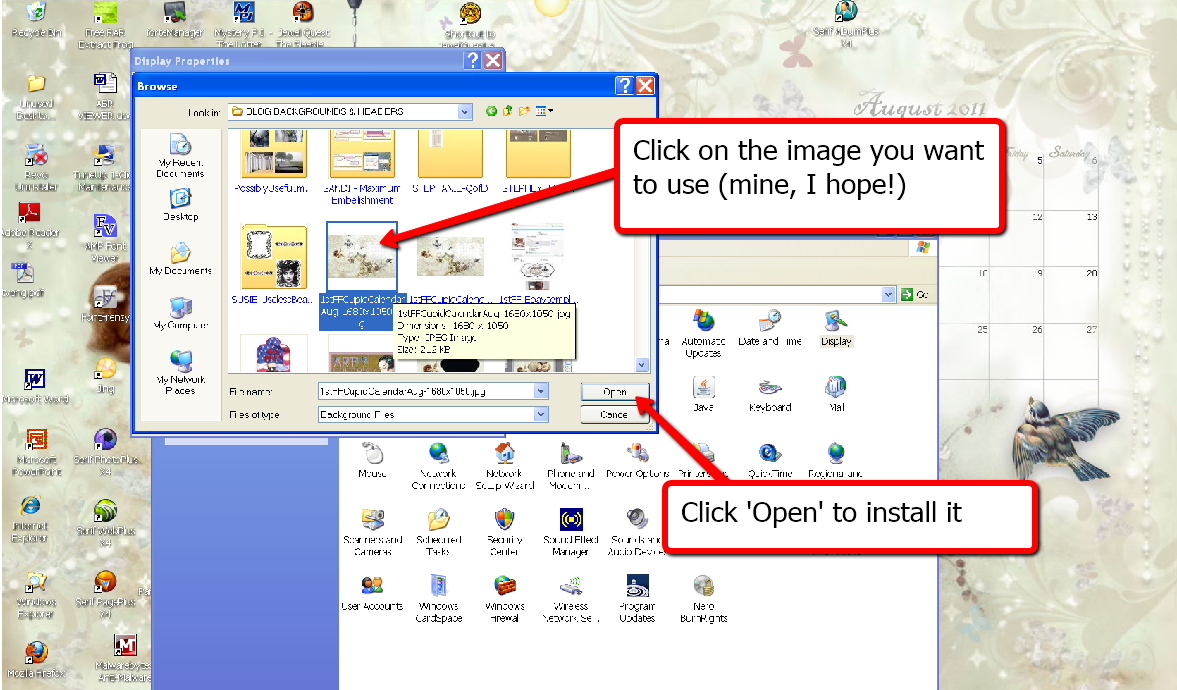
Here's how to install your own screensaver - and also put your icons where you want them!


NOW ARRANGE YOUR DESKTOP ICONS WHERE YOU WANT THEM:


It's even easier than it looks! And if you want all your icons ordered into a grid or auto arranged - just tick the boxes again.Hope you like the screensaver and find it and the tutorial useful.

To enter your own notes and dates the easy way, either use your favourite graphics programme - or go to my Computery page and have a look at all the free programmes out there. Some you don't even need to download! And here's how to add a text layer:


pink saturday

Finally, please visit Beverly at How Sweet the Sound to see all the other wonderful Pink Saturday posts!

Friday, February 11, 2011

FREEBIE FOR PINK SATURDAY

Adorable child pic is Daizy by M on DeviantArt
I've done a frame image for you this week - this could be used as a picture or even a blog header (just add your own text and click to resize).
It would also work as a Valentine image, which was my original idea, but I couldn't find an image I liked.


Left click to bring up to full size, and right-click to save to your computer. Add your photograph in a layer below this then merge. This is a png, so the central white portion is actually transparent. If this doesn't download correctly, use this image code instead:
http://i659.photobucket.com/albums/uu313/1stFloorFlatComputery/67d25be6.png
Here's an excellent video tutorial by Shabby Blogs showing how to layer and add text:


People often ask me if I use a lot of layers in my work. The answer is 'yes' and here is this piece, if you are interested:

Happy Valentine's weekend, folks!

pink saturday

Finally, please visit Beverly at How Sweet the Sound to see all the other wonderful Pink Saturday posts!

Wednesday, January 26, 2011

MORE SCRAPBOOKING VIDEOS

I've finally managed to post the rest of my videos (20 in all!) which you'll find on the Videos page (link under the blog header).

I've put up the YouTube versions (without adverts) but if you are hard of hearing go to the original VideoJug site, which has printable transcriptions.

Here are the videos on hybrid and digital scrapbooking, which are all the rage at the minute!


A guide to hybrid scrapbooking


How to begin digital scrapbooking


Here's the link on VideoJug (who did the filming) where they supply a printable version with links to all the sites I mention in the Digital Scrapbooking video.

Friday, January 14, 2011

HAPPY PINK SATURDAY BACKGROUNDS


Pink is this year's colour - it's official! Home & Garden (a French blog) says so! So it must be true! Oh la la, what a colour!


However, it's not the same colour in my Photoshop7 programme - I had to use ColorZilla (a free Firefox app) to get the exact colour coding!
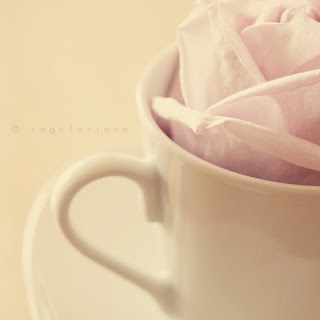
'Cup of Rose' by RegularJane on Deviant Art


Due to computer problems I haven't been participating lately, but as it's behaving itself again - AND I've sorted out my keyboard (see the post below this one) so I'm back to normal (ish) again. To celebrate, I've made a background and header set in two colourways - a little Spring-like (I'm positive Spring is just around the corner...)

LACE FLOWERS - PINK


As you can see, this works for a 3-colum blog - also the new Designer Templates! Here, I used Awesome No 2, then adjusted it to tone in with my background. This template will also work with some free WordPress templates (eg: Bueno) as well as the older Blogger templates (eg: Minima). It will also work with wide 2-col blogs etc.

Copy ALL the code and paste into an html widget box (it'll load fastest if the widget is at the bottom of your blog):
<style type="text/css">
body {background-image: url("http://i659.photobucket.com/albums/uu313/1stFloorFlatComputery/749b8e3a.jpg"); background-position: center; background-repeat: no-repeat; background-attachment: fixed; }
</style>
<div id="tag" style="position:absolute; left:0px; top:50px; z-index:50; width:150px; height:30px;">
<a href="http://1stfloorflatblogology.blogspot.com/" target="_blank">
<img border="0" src="http://i659.photobucket.com/albums/uu313/1stFloorFlatComputery/9061ddc2.png"/>
</a></div>
HEADER

Header design copyright Susie Jefferson - bee border from Penniwig's
Custom Text
Either left-click to bring the header up to full size, then right-click to copy to your computer. Add your own text using your favourite graphics programme. Upload to Blogger and tick 'Instead of title and description'. If using a 3-col or wide 2-col template, DON'T click the 'shrink to fit' option.

Blogger's Default Text
Either left-click to bring the header up to full size, right-click to copy to your computer, then upload to Blogger, using the default header text by ticking 'Behind title and description'. OR download the header code instead (above). Upload to Blogger using the default header text by ticking 'Behind title and description'.
LACE FLOWERS - BLUE

See the background in action live on Blade Rubber Stamps blog
This is using the old Editor, and a modified (to 3 columns) Minima template, so you can see how the same background design (although a different colourway) can work on different templates. You can also see that I customised the header with my own fonts. If you need to adjust the placement of the header in Minima or any of the older templates, here's my tutorial.

Copy ALL the code into an html widget:
<style type="text/css">
body {background-image: url("http://i659.photobucket.com/albums/uu313/1stFloorFlatComputery/4d11cc0c.jpg"); background-position: center; background-repeat: no-repeat; background-attachment: fixed; }
</style>
<div id="tag" style="position:absolute; left:0px; top:50px; z-index:50; width:150px; height:30px;">
<a href="http://1stfloorflatblogology.blogspot.com/" target="_blank">
<img border="0" src="http://i659.photobucket.com/albums/uu313/1stFloorFlatComputery/9061ddc2.png"/>
</a></div>

HEADER


See the instructions above on how to install your header. Here's the code if you'd prefer it:
http://i659.photobucket.com/albums/uu313/1stFloorFlatComputery/d000ef8e.jpg
Hope you enjoy these!

pink saturday

Finally, please visit Beverly at How Sweet the Sound to see all the other wonderful Pink Saturday posts!

Friday, December 17, 2010

PINK SATURDAY - ON THE 4TH WEEK OF CHRISTMAS...

It's the 4th week of Christmas! I'm so excited - I love, love, love Christmas and all the hustle and bustle in the run-up to the Big Day. 

SILENT SNOW - copyright Susie Jefferson
Here in London we had a freak snowstorm - all clear around 10.00am - then I forced myself away from the computer to make a coffee, looked out the window, and voila! About 2 inches of snow! (the computer is nowhere near a window, and I simply didn't notice).

Hence this wintry background, using two wonderful photographs (with permission) by Jamie at Art-e-ology.

If you'd like to use my background, just copy all the code below and insert into an html widget right in your blog. This one is 950px and suitable for a 3-column blog, a wide 2-colum blog, the new Designer templates and also some of the freebie WordPress ones (eg: Bueno).
<style type="text/css">
body {background-image: url("http://i659.photobucket.com/albums/uu313/1stFloorFlatComputery/3a1ed415.jpg"); background-position: center; background-repeat: no-repeat; background-attachment: fixed; }
</style>
<div id="tag" style="position:absolute; left:0px; top:50px; z-index:50; width:150px; height:30px;">
<a href="http://1stfloorflatblogology.blogspot.com/" target="_blank">
<img border="0" src="http://i659.photobucket.com/albums/uu313/1stFloorFlatComputery/9061ddc2.png"/>
</a></div>
HEADER
SILENT SNOW png image - copyright Susie Jefferson
http://i659.photobucket.com/albums/uu313/1stFloorFlatComputery/9da4bad8.png
The header is a png file as it has a transparent background with a drop shadow, so for best results use the code below rather than left-click for the full size, and right-click to copy to your computer. If you want to add your own text, download the png and add text using your favourite graphics programme. MERGE the layers (don't flatten) and save as a png before reloading, or you'll end up with a white background instead of a transparent one.

EMAIL BUTTON
Here's a seasonal email button I made - and here's the post with full instructions on how to add your own address etc.

PINK SATURDAY - CHRISTMAS MUSIC

This week on Pink Saturday, the theme is Christmas music. I have so many favourites, it's impossible to choose just one... Click on 'play' if you'd like to hear the music.


MusicPlaylist
Music Playlist at MixPod.com


pink saturday

Finally, please visit Beverly at How Sweet the Sound to see all the other wonderful Pink Saturday posts!

Friday, November 19, 2010

PINK SATURDAY - BRAG TIME

Poised, ready to rock!
It's been a miserable week due to ill health (more below) so I was totally delighted to get an email yesterday telling me my videos are up!


Collage:
A Guide To Vintage Scrapbooking


Blade Rubber Stamps asked me to do some scrapbooking videos for them, and the first few are now on VideoJug if anyone wants to take a look. Here's just one of them.

Definitely ready, camera turned on....
They're very short sound bites, nothing in-depth, and will probably have you rolling around on the floor, laughing your socks off.


Still waiting...
However, it's my first time in front of a camera so please make allowances. I will put them all on the blog as soon as I get the DVD from the company, without the adverts (sorry about the ads!). Here's the link for the Blade Rubber Blog, which I write (because I can, and because I'm addicted to blogging, lol).

Hope I'm making sense here
A 'baby' layout (Dierdre's baby is now a grown-up teenager and ready to lynch her mother for giving me the photos to use)
Dying for a coffee...
Wow! The coffee's finally arrived... we're also hoping for biscuits...

Here are some of the scrapbook pages demonstrated in the shoot:

MADE TO MEASURE - full view
Closeup of lettering
View showing some of the dimension - and the snap fasteners and safety pins
Closeup of lettering, showing the dimension. I used ink pads to colour the chipboard letters, then covered with Diamond Glaze and threw on some glitter to finish
 The 'baby' page:

Full page view of DINNER TIME featuring Dierdre's daughter Charlie
Closuep of the 3 dangly medallions - I used a circle cutter for these
Another closeup, showing these swing around freely (much fun!)

Another detail view, showing the chipboard lettering - painted white, then Snow glitter on top
And now for another vintage piece:

Vintage Chic - the full piece
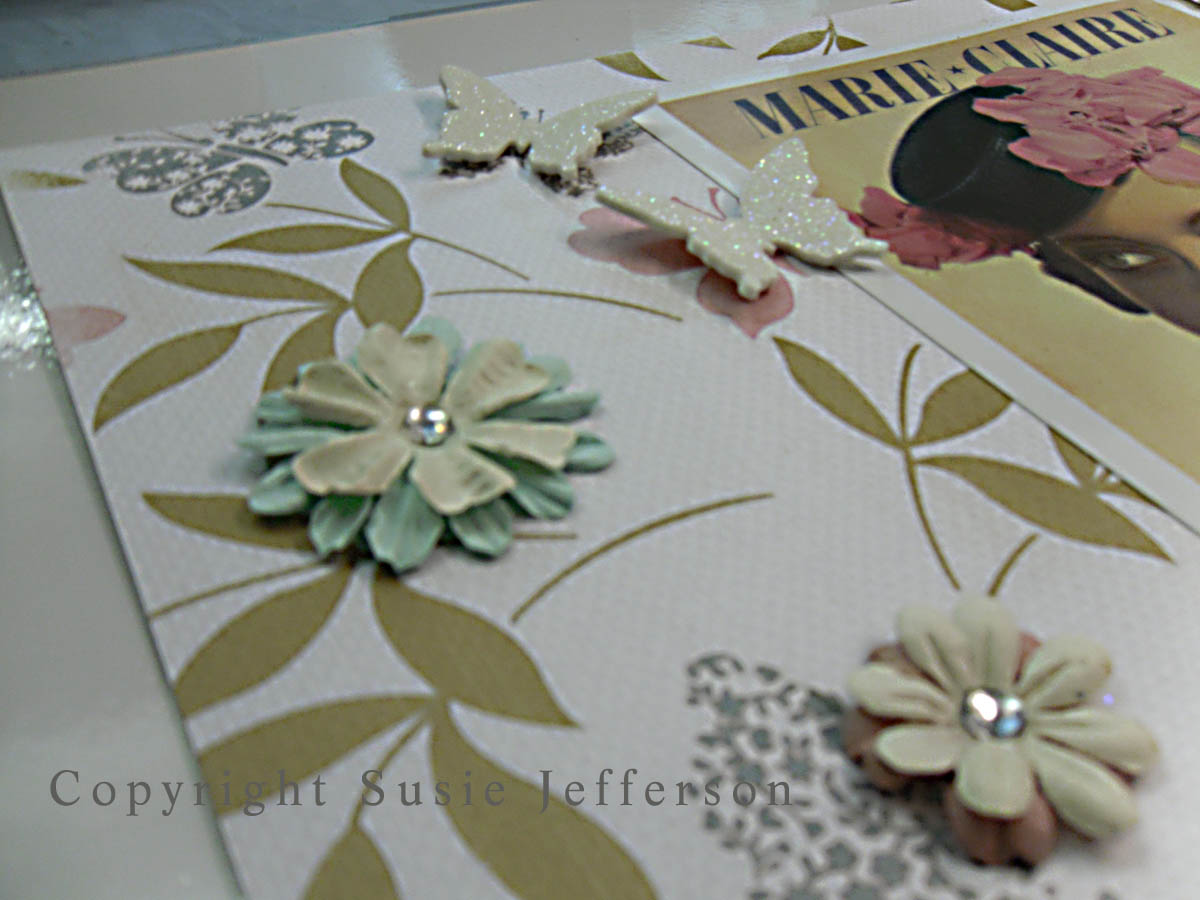
Two layers of flowers + foam butterflies (glittered) to add dimension

Closeup
Another closeup, showing dimensionof chipboard letters (painted lime green, then glittered)
Finally, just one more piece (I should think you've had enough by now)

GUARDIAN ANGELS - closeup of ribbon, brads, photo corners
Closeup of lettering (stickers! See, you can find some nice ones)
GUARDIAN ANGELS - the full piece

Another closeup, showing the different papers  & layers
I'll load the rest during the week, once I've finished photographing them. I have to say the shoot was pretty nerve-wracking at first but went pretty smoothly. And yes, I'd do it again. Quite an experience!

And now I have to send BIG apologies to everyone who visited me last week - because I didn't visit back. In fact, I didn't visit anyone! So much for the big anniversary dinner: I woke up Saturday morning feeling fine, and by early evening was in bed... for the duration. Flu. Bad, nasty flu - we've both had it and have been housebound the entire week. I finally staggered out the house today to the nearest chemist for more Paracetamol, tissues and cough syrup. Isn't it always the way? The best laid plans etc...

pink saturday

Finally, please visit Beverly at How Sweet the Sound to see all the other wonderful Pink Saturday posts!